top of page

Configuration Internet pour Android
Pour carte SIM de l'opérateur Easy Mobile
Bienvenue > Assistance > Configuration internet pour Android > Opérateur Easy Mobile
Configuration Manuelle
Suivez les étapes de configuration :


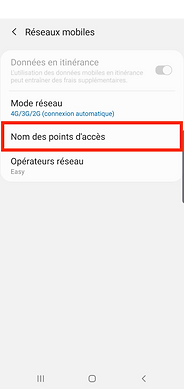





Paramètres > Plus de Réseaux ou Connexions > Réseaux Mobiles > Nom des Points D'accès >
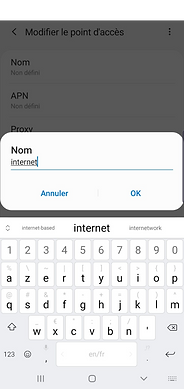
Ajouter ou +
NOM:
internet
APN:
internet
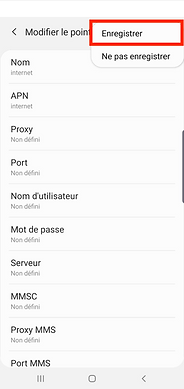
Tous les autres champs doivent rester vides.
Allez dans Menu ou Plus > Enregistrer > Cochez internet. Testez si internet fonctionne. Eventuellement éteignez puis rallumez votre téléphone.
bottom of page